How to Use ATS Cracker
Follow these simple steps to create a professional, tailored resume using our AI-powered tool.
Enter Your API Key
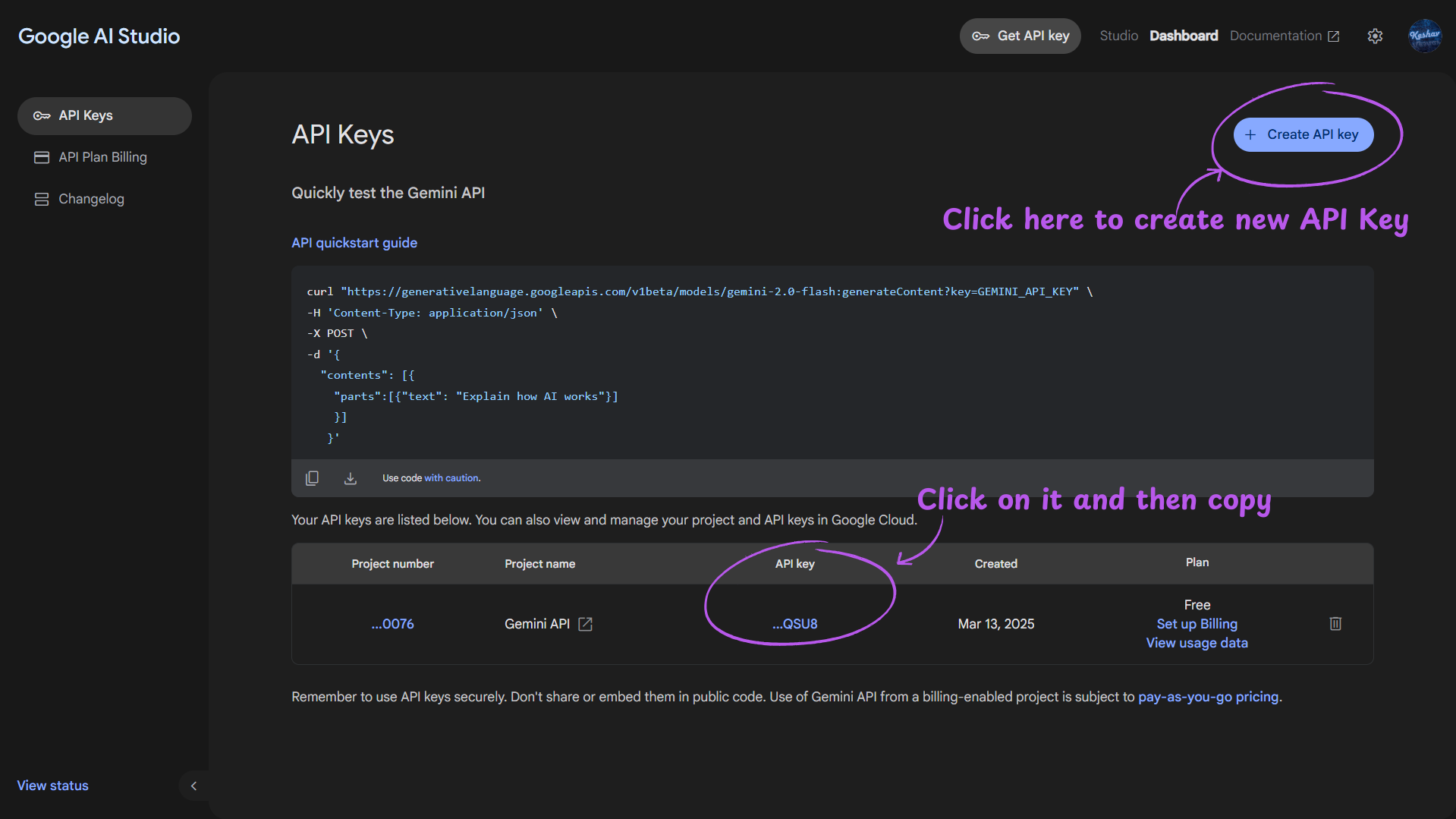
- Go to Google AI Studio.
- After signing in, click on Create API key Button if you have none or just copy the API key if you already have one.
- Paste the API key in the form at the begining and click Verify API Key button to verify the API key.
Fill Personal Information
Fill all the details, Name, Email, Contact Number & Location are mandatory rest can be left blank.(Although i suggest to fill them all)
Add Education Details
Fill the required fields, u may add multiple education details as well.
Include Work Experience
Add the details of your work experience, including the company name, job title, and dates of employment.
Showcase Your Projects
Add details about your projects, including the project name, links, description, and technologies used.
List Your Achievements
Add details about your achievements, including the achievement name,type, identification number & description.
Add Your Skills
Add all the skills you have, tech or non tech or soft skills.
Paste Job Description
Paste the job description from the job posting.
Generate Your Resume
- Click on Generate Resume to generate your resume. This will take some time to generate your resume.
- When finished 2 files will be downloaded:
1. Your raw data in json that can be reused to instantly enter all the info when u use it for second time.
2. Your resume in docx format. Making it easier to further edit your resume(most pro'lly you won't need to edit it).